

PRODUCT USABILITY ASSESSMENT
Uncover Friction, Unlock Growth: The Usability Assessment
 Download Template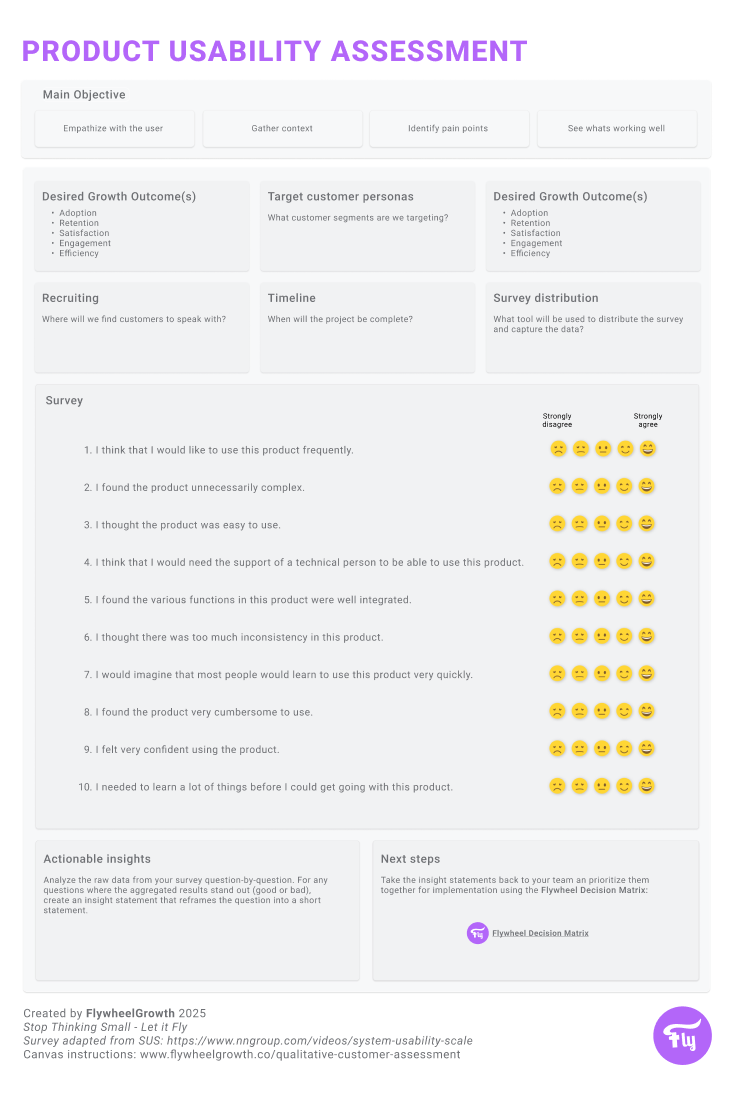
The Product Usability Assessment is your guide to evaluating how intuitive and effective your app or website is for your users. From understanding user pain points to uncovering what’s working, this tool takes you through defining objectives, identifying customer personas, and executing a streamlined usability survey.
By focusing on the real-world experience of your users, this tool helps you gather actionable insights to optimize engagement, satisfaction, and retention.
How to use this tool
Define the main objective - Decide what you aim to achieve with this assessment.
Desired Growth Outcome - Identify the desired growth outcome - this should be clear and easy to measure.
Target Customer Personas - Outline the customer segment(s) that will be included in this effort.
Recruiting & Timeline - Plan to recruit participants who match your target personas using social media, email campaigns, or customer outreach. Then determine the timeline for the assessment, from recruiting to survey distribution and analysis.
Survey Distribution Method - Decide how you’ll gather responses: Email campaigns, In-app surveys, Website pop-ups, External survey platforms, or another method.
Questions to ask - Select the best questions that will help you achieve your objective - feel free to use the Flywheel Key Questions List below to help - and have the conversations with your customers.
Analyze the data - Analyze the raw data from the surveys looking for observable patterns, and create insight statement that best articulates the value of each insight.
Prioritize the next steps - Together with your team, take the top 3-5 actionable insights and plot them in the Flywheel Decision Matrix.

Flywheel Key Questions
- I think that I would like to use this product frequently.
- I found the product unnecessarily complex.
- I thought the product was easy to use.
- I think that I would need the support of a technical person to be able to use this product.
- I found the various functions in this product were well integrated.
- I thought there was too much inconsistency in this product.
- I would imagine that most people would learn to use this product very quickly.
- I found the product very cumbersome to use.I felt very confident using the product.
- I needed to learn a lot of things before I could get going with this product.
The Upside
Sign up to receive The Upside - the Flywheel monthy newsletter highlighting growth stories and new tools and added to the platform.

Stop thinking small - let it fly
Privacy Policy
Flywhweel 2025
RESOURCES
Insights
Who We Are
Icons & Illustrations by Streamline
Animation by Weldi 33 Studio Design